
UI Desktop Prototype - JustTea
A HIGH FIDELITY PROTOTYPE USING FIGMA
Year : 2023 | Role : UI Designer | Project Type : Self Made | Tools : Figma
Overview | Goals | User Persona | Sitemap | Style Guide | Wireframe | Prototype

1. Overview
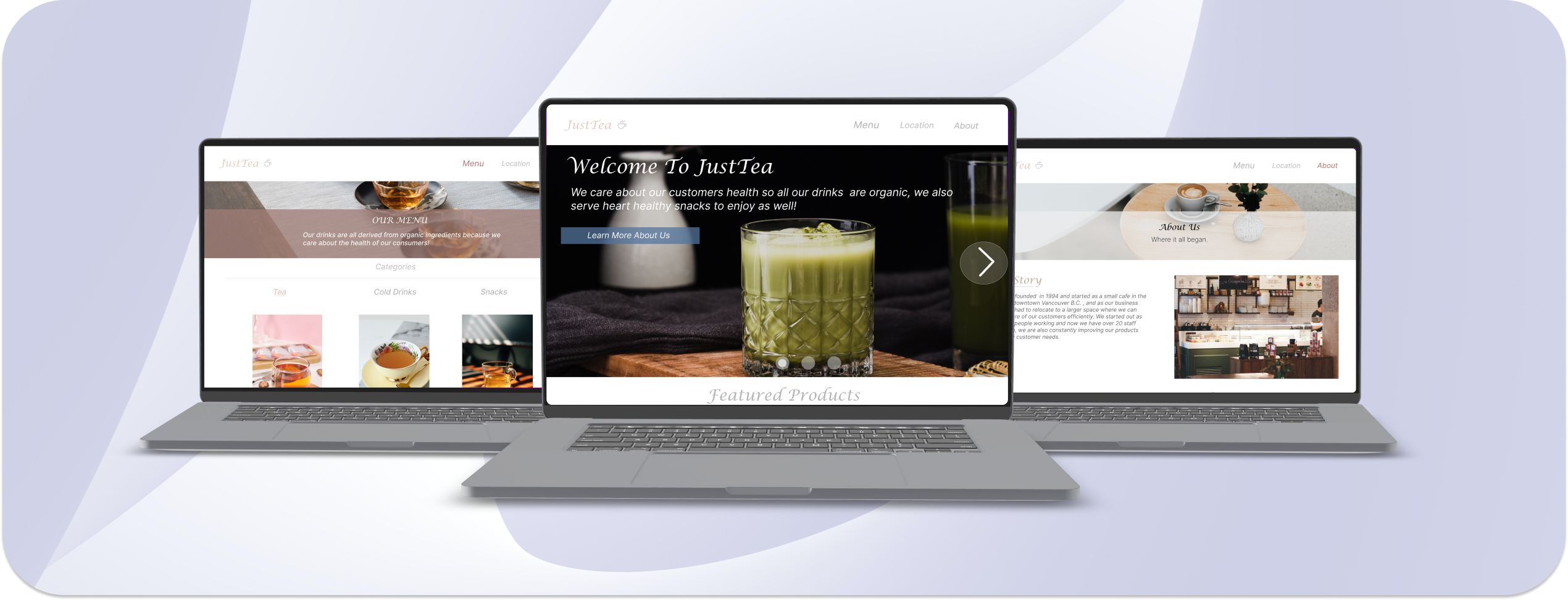
JustTea is a drink and snack cafe's website that allows the user to eat at the location or users can order online for delivery right to their door step as well.
Products
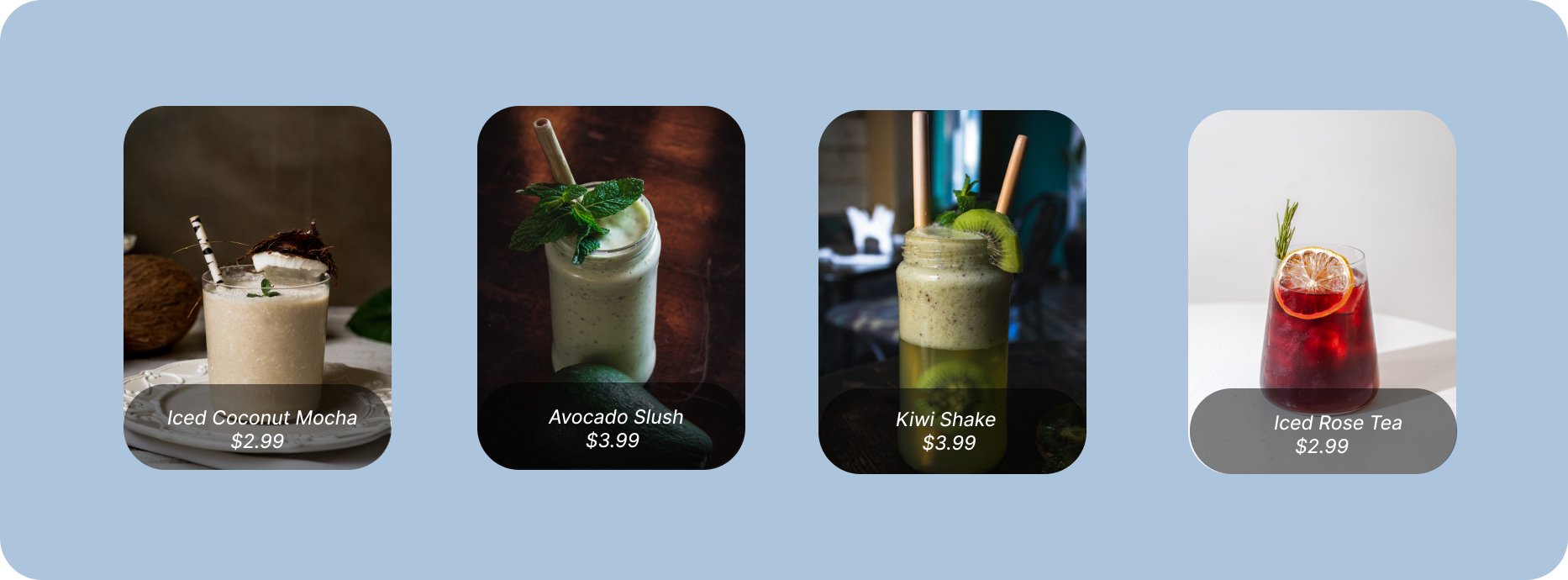
Below are the some of the snacks and drinks that this business offers, from with both cold and hot drinks plus delicious snacks to go along with it.
3. User Persona
Below is a persona of the ideal target user that would use this application, I personally feel that this application can target a diverse range of users, since most people would most likely visit a cafe for a nice drink and snack while doing their work or just relaxing taking a break.

4. Sitemap
I created a sitemap to get something like a birds eye view of where all the navigations, menus, and sub menus to be placed. It helps by creating a foundation for the blueprint of where to start and end.

5. Style Guide Design
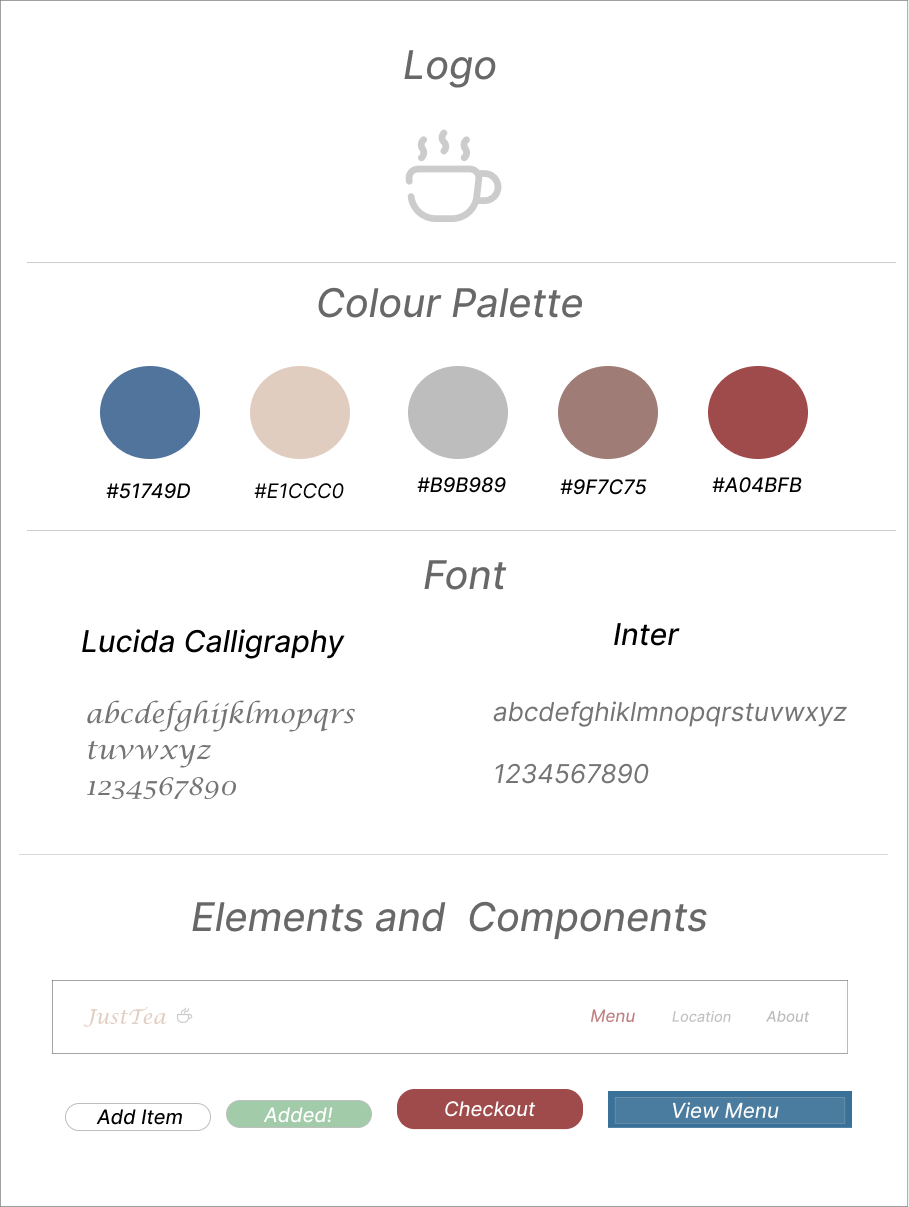
For this desktop website, a bright theme was chosen and decided to use light vibrant colours according to the type of website that was created which is a cafe . Along with the two types of fonts that were used which were used (Lucida Calligraphy, Inter) it gave the website a modern yet elegant look which suits the theme of this website. Below is an example of the style guide that was used so you get a better idea!
7. Wireframe
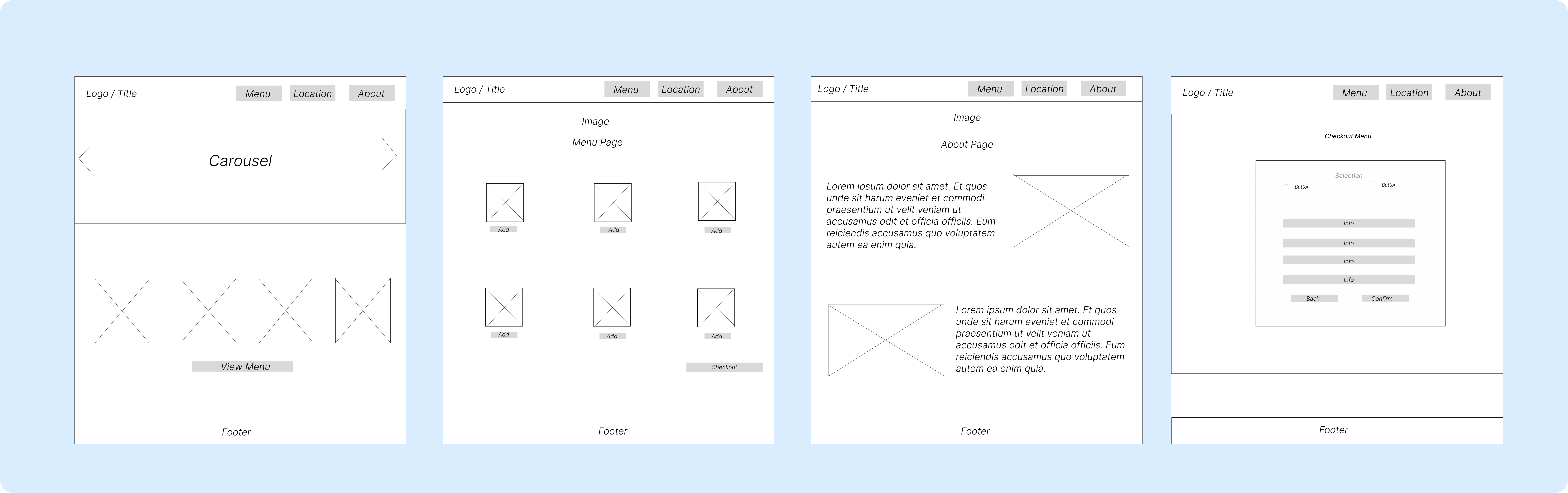
Next I used Figma to create a blueprint of the project by using wireframes, this is a good draft to see and get an idea of how the prototype should look, and seeing where certain elements and navigations should be placed. Below Is some example of the wireframes that were created for the main pages.
8. Prototype
Lastly, by following the layout of the wireframe I was able to create a high fidelity prototype of the desktop website ready for the product to be tested, and also a sense of how the finished product should feel, look, and interacted with. Also the prototype allows the testers to leave comments of what should be changed, adjusted, and improved which is a crucial final step in UX/UI design before making the final product.
